

Introduction to Context Graphs
Kombai’s Context Graphs offer a purpose-built, domain-specific alternative to the vector-based indexing prevalent in the general-purpose coding agents. General-purpose agents typically use embedding models to generate embeddings for code snippets, and leverage vector databases to search for nearest embedding-based matches. While this is effective for finding mechanical similarity between text strings, it often misses the crucial, domain-specific context needed for frontend development - such as how a component actually looks and what it functionally does. Furthermore, it is practically impossible to add external dependencies (like custom npm component libraries) to these standard indices. As a result, these agents often struggle to find the appropriate code to reuse, particularly in mature, high-complexity repositories. They often hallucinate important aspects of the reusable code items (e.g. props of a component) or just skip reusing existing code, leading to unacceptably low code quality. Kombai adopts a more human-like method to understand the reusable parts of a repository. Given a source, Kombai first identifies the relevant reusable code items. Then, it builds a use-case-specific understanding of how they work, which it stores as a Context Graph. For example, for reusable components, the Context Graph includes their primary purpose, appearance, behaviors, props and dependencies. This approach results in better reuse of existing code, higher code quality and greater accuracy in complex tasks.Creating Context Graphs
You can create Context Graphs by indexing reusable code from current workspace and NPM packages. Following reusables are currently supported:- Components
- Stateful primitives (e.g. hooks in React, stores in Svelte and modules in Angular)
- Design tokens
- Types, and
- Constants
From Current Workspace
You can index subfolders of your current workspace that contain supported reusables, to create their Context Graphs. Here’s how to index a subfolder: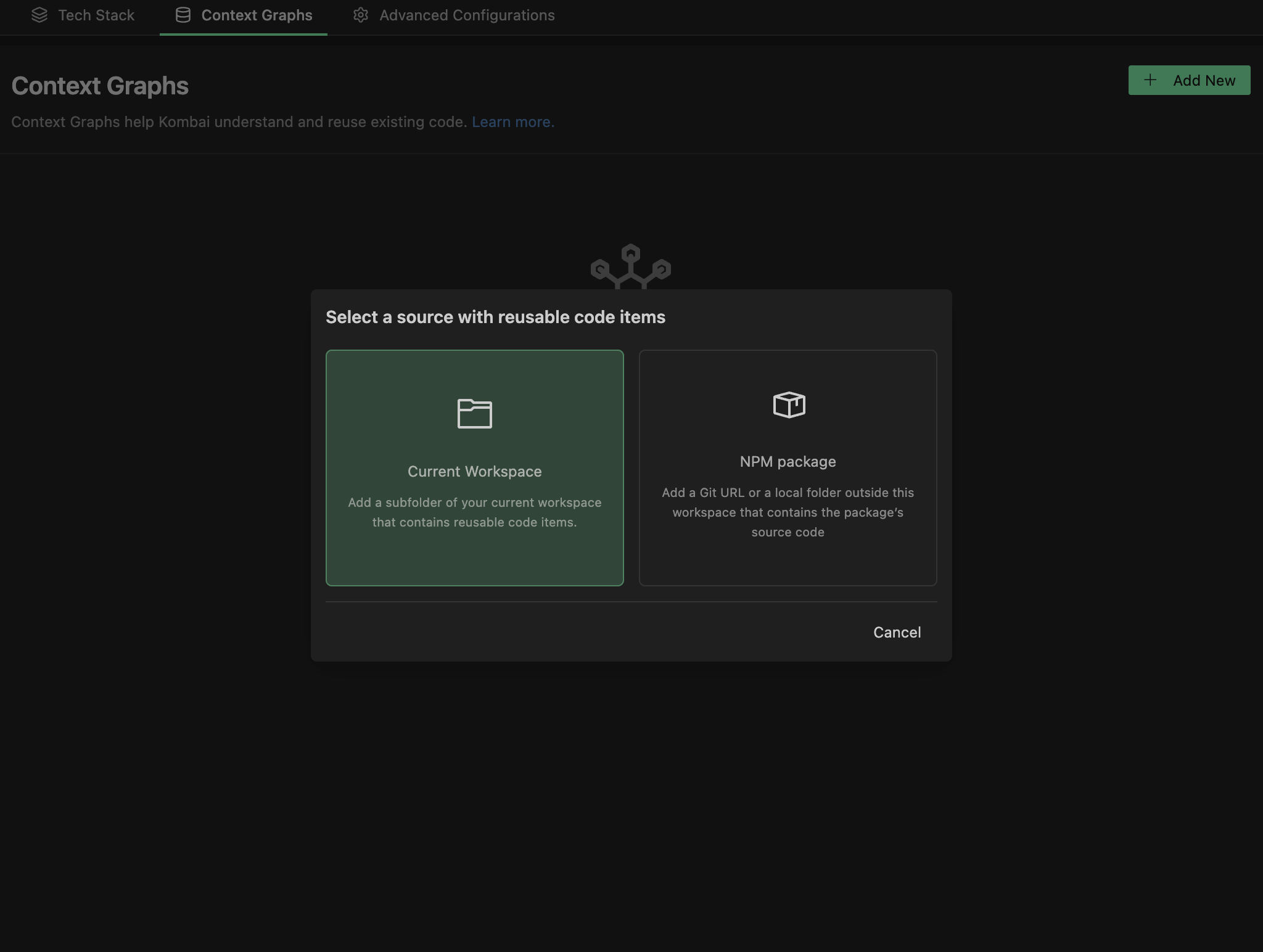
- Click the icon below the chat input box to open the Context Graphs panel.
- Click the icon on the top-right corner of the panel to open the Context Graphs page.
- Click Add New on the top-right corner of the page.
- Click Current Workspace in the source index modal.
- Browse and select a subfolder from your workspace to index and continue.
- Click Build Context Graph.
From NPM Packages
To build a Context Graph for a NPM package, index one of the following:- A local folder outside of this workspace that contains the source code of the package
- A URL of the git repository that contains the source code of the package
- In this case, the git credentials present in your current workspace must have cloning permissions of the git repository.
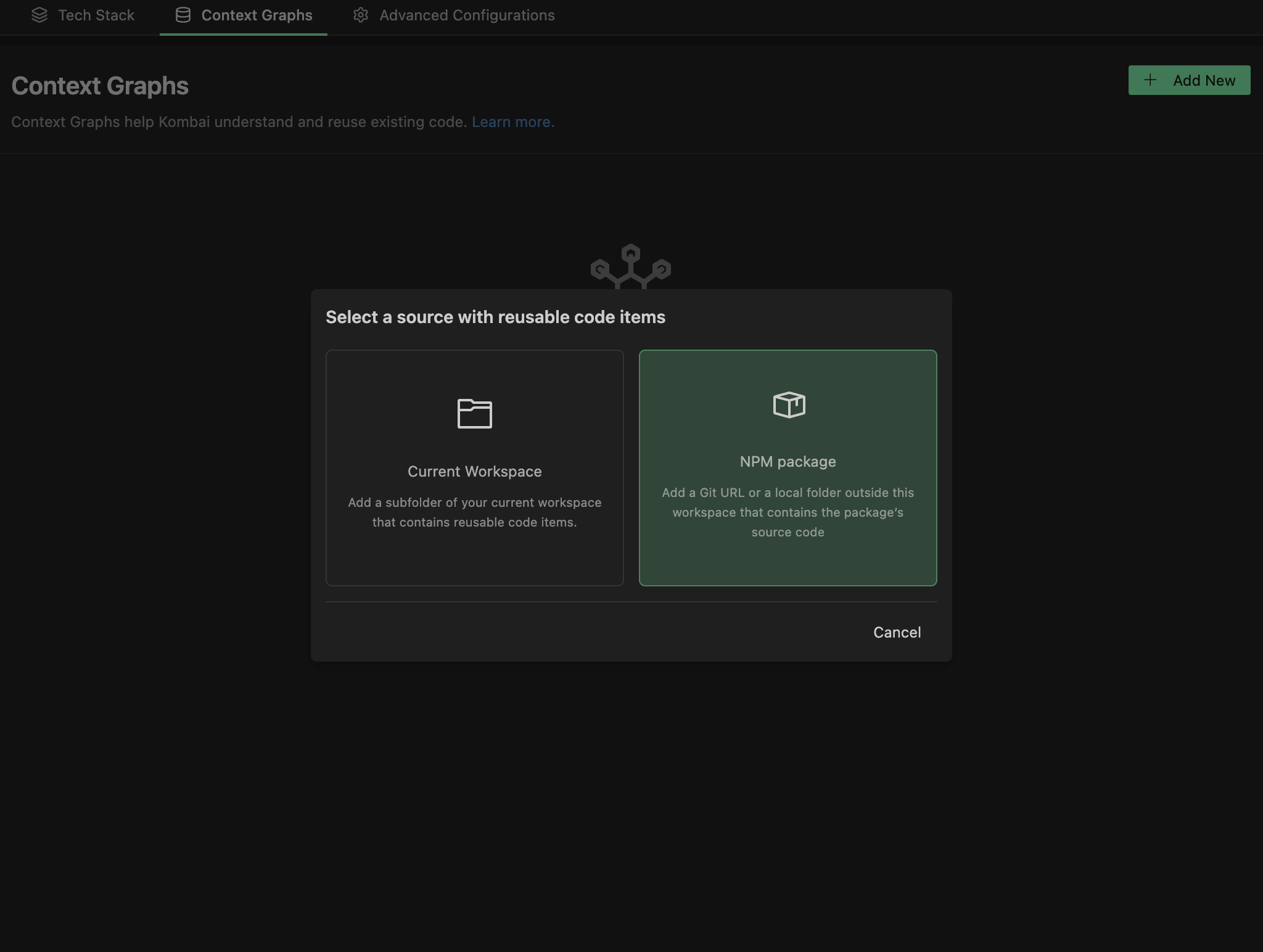
- Click the icon below the chat input box to open the Context Graphs panel.
- Click the icon on the top-right corner of the panel to open the Context Graphs page.
- Click Add New on the top-right corner of the page.
- Click NPM Package in the source index modal.
- Add your Git repository URL and the Branch and continue.
- If your NPM package source is stored locally, switch to Local Folder tab, add path to the folder or browse your folder and continue.
- Click Build Context Graph.
Use ContextRules to provide custom instructions for the indexing process
During the indexing process to build Context Graphs, Kombai analyzes a given source to identify relevant reusables based on established coding patterns (e.g.index.ts or index.js to identify exported components).
To provide additional guidance on how Kombai should identify reusable code items from your repo, you can specify relevant instructions in a ContextRules.md (filename not case sensitive) file in the ./.kombai/rules/ folder in your workspace.
This is particularly useful when Kombai indexes a repo but misses out on some code elements you consider to be reusable. You can check the list of reusable items returned by Kombai after indexing to spot such gaps, add appropriate instructions in the ContextRules.md file and re-index the source.
Multiple Context Graphs
You can index multiple sources in Kombai, to create a separate Component Graph for each source (e.g. a local folder and a private npm package). For a given task, the agent has access to all the Context Graphs available in the current project.Managing Context Graphs
Re-indexing Context Graphs
To manually update a Context graph, select the Rebuild option for the related card in Context Graphs page. When this option is selected, Kombai will rerun the indexing process to create a Context Graph from the latest version of the source code.Removing context graphs
To remove a Context Graph, click the actions menu () on the related card in the Context Graphs page and select Remove. Once removed, the agent won’t consider the said Context Graph for future tasks.Using stack.json to sync Context Graphs
If the Sync with stack.json toggle on the Tech Stack page is turned on, Kombai will automatically save the type, path, and name of the indexed Context Graphs to this file. Once you push this file to your remote Git repository, Kombai will automatically detect the Context Graphs from stack.json for all team members working on this repository.
Using Context Graphs
For any given task, Kombai’s coding agent can automatically access all indexed Context Graphs. You can also attach specific items from the Context Graphs by using theIndexed Context Items option in the @ menu of the chat input.
Context Graphs are used by Kombai in conjunction with other available contexts and instructions, such as prompts, rules, commands, skills and local files found via agentic search. You can provide additional instructions on how the agent should use the indexed context via prompts and rules.
Troubleshoot
I'm getting an error message while trying to build a Context Graph from a Git URL of a NPM package. How can I resolve this?
I'm getting an error message while trying to build a Context Graph from a Git URL of a NPM package. How can I resolve this?
Please make sure that following pre-requisites are fulfilled:
- The git url is of a valid repo - this should typically be of the format https://github.com/{org}/{repo}.git
- The branch name used is of a valid branch
- The git credentials present in your system has view permissions for the Git URL and branch you are trying touse
- Once these pre-requisites are confirmed, please retry running the indexing process.
support@kombai.com with a screenshot and details of the error you are facing.I'm getting a message that Kombai couldn't find any reusable items from my code source, after the indexing process for building a Context Graph is complete.
I'm getting a message that Kombai couldn't find any reusable items from my code source, after the indexing process for building a Context Graph is complete.
This message means Kombai likely needs additional guidance to understand the patterns of the reusable code items in your source. Please see this section for more details.If the issue persists, please reach out to support@kombai.com with a screenshot, details of the source you are trying to index and patterns of the reusable code items (e.g. components, hooks or types) in that repo.